AI agents can reason, use tools, and complete complex tasks. But there is one problem: most of them forget everything once the session ends.
That means every new conversation can feel like starting from scratch.
Agent memory gives an AI system a way to remember useful information across sessions, such as your preferences, previous decisions, goals, or important context.
In this tutorial, we will build an AI agent with long-term memory using the OpenAI Agents SDK and Mem0. We will then connect the same memory system to OpenCode so your coding agent can remember information across sessions too.
How AI Agent Memory Works
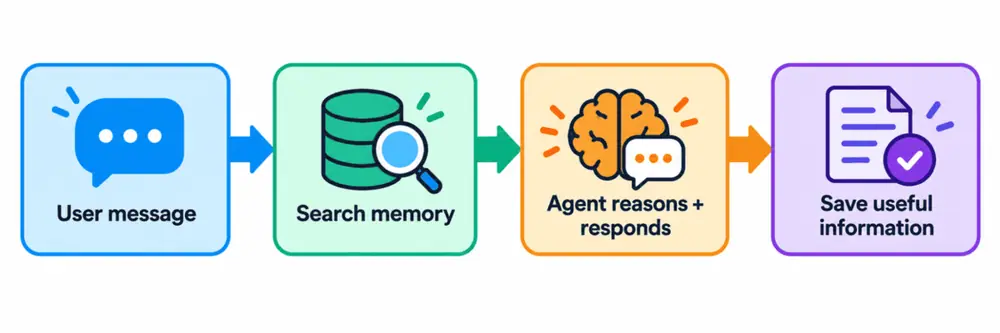
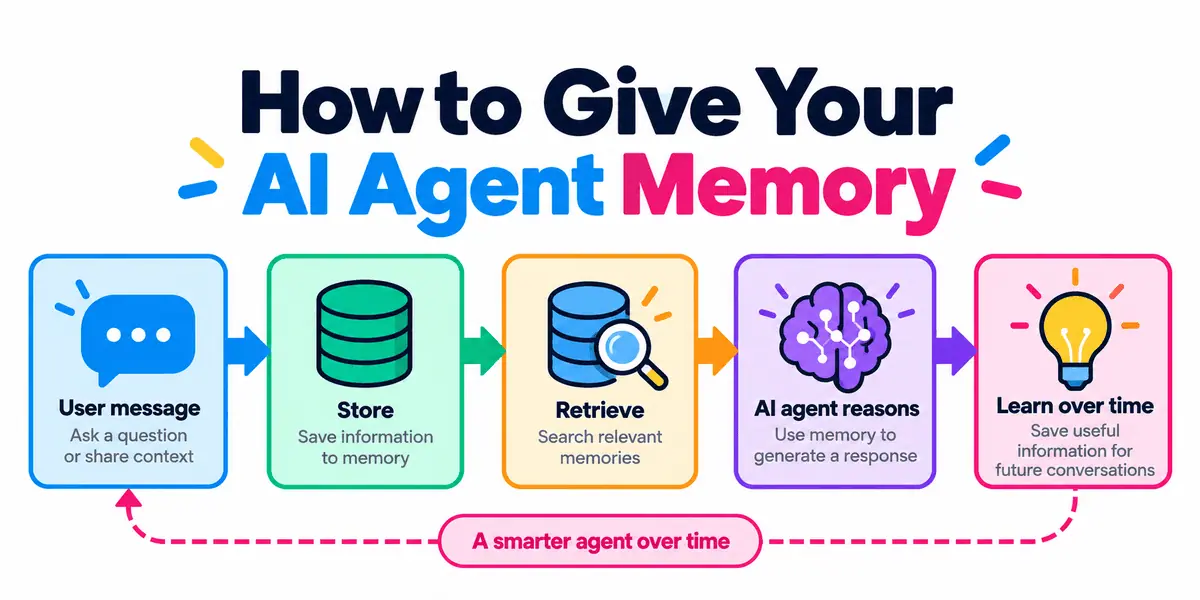
A simple agent memory system follows a straightforward loop: the user sends a message, the agent searches its memory for relevant context, uses that information while reasoning, and then saves anything useful for future conversations.
There are two main types of memory:
- Short-term memory: Information from the current conversation or task, such as recent messages and temporary state.
- Long-term memory: Information that persists across sessions, such as preferences, decisions, goals, and previous experiences.
The key part is retrieval. Instead of adding every previous conversation to the prompt, the agent searches its memory and brings back only the information that is relevant to the current request.
This keeps the context smaller while still allowing the agent to behave as if it remembers previous interactions.
Building an Agent with Long-Term Memory
In this section, we will build a simple agent that can search, save, and reuse information across conversations.
Start by installing the OpenAI Agents SDK and Mem0:
pip install openai-agents mem0ai
Next, set the API keys:
export OPENAI_API_KEY="your-openai-key"
export MEM0_API_KEY="your-mem0-key"
Then import the required classes and create a Mem0 client:
from agents import Agent, Runner, function_tool
from mem0 import MemoryClient

memory = MemoryClient()
USER_ID = "abid"
The MemoryClient gives our agent access to Mem0, while USER_ID tells Mem0 whose memories to store and retrieve. Using a separate identifier for each user keeps their memory isolated.
Creating a Memory Search Tool
Now we need to give the agent a way to look up relevant information from previous conversations.
We do this by creating a search_memory tool that sends the current query to Mem0 and returns the most relevant stored memories.
@function_tool
def search_memory(query: str) -> str:
    """Search for relevant memories about the user."""

    results = memory.search(
        query=query,
        filters={"user_id": USER_ID},
        top_k=5,
    )

    memories = results.get("results", [])

    if not memories:
        return "No relevant memories found."

    return "\n".join(
        f"- {item['memory']}"
        for item in memories
    )
Mem0 uses semantic search, so the wording does not have to match exactly. As long as the meaning is similar, the agent can still retrieve the right memory.
Creating a Memory Writing Tool
Next, we need a way for the agent to save useful information for future conversations.
We do this with a save_memory tool that sends important facts, preferences, or decisions to Mem0.
@function_tool
def save_memory(content: str) -> str:
    """Save useful long-term information about the user."""

    memory.add(
        messages=[
            {
                "role": "user",
                "content": content,
            }
        ],
        user_id=USER_ID,
    )

    return "Memory saved."
Mem0 can then process that information and store the parts that are useful as long-term memory, rather than saving the entire conversation as one large block.
Creating the Agent
Now we can connect everything by creating the agent and giving it access to both memory tools.
The agent is instructed to check for relevant memories before answering and to save useful information that should be remembered later.
agent = Agent(
    name="Memory Assistant",
    model="gpt-5.6-luna",
    instructions="""
    You are a personal assistant with long-term memory.
    Always call search_memory before answering, even for general questions.
    When a relevant memory is found, acknowledge it naturally at the start,
    for example: "Oh, I remember you prefer...", then use it.
    Save durable preferences, goals, and facts; confirm each save in one
    sentence. Skip greetings, temporary info, and duplicates.
    """,
    tools=[
        search_memory,
        save_memory,
    ],
)
Here, the instructions control how the agent uses memory. They tell it what to retrieve, what to save, and what kinds of information should be ignored.
Finally, create a small chat() function to run the agent:
def chat(message):
    result = Runner.run_sync(
        agent,
        message,
    )

    return result.final_output
Each time chat() is called, the message is passed to the agent, which can use the memory tools as part of its response.
Testing the Memory
Now let's check that the agent can actually remember something across interactions.
First, give it a preference worth saving:
print(chat(
    "Remember that I prefer Python and use uv "
    "for managing my projects."
))
Output:
I'll remember that you prefer Python and use `uv` to manage your projects.
Next, ask a related question:
print(chat(
    "How should I set up my next Python project?"
))
Output:
I remember you prefer Python and use **uv** for project management. A solid setup:

```bash
uv init my-project
cd my-project
uv add <runtime-dependency>
uv add --dev pytest ruff mypy
```
The agent can retrieve the saved preference with search_memory() and use it to make the response more relevant.
Because the memory is stored in Mem0, it can still be retrieved even after the Python application is restarted.
Giving OpenCode the Same Memory
We can also give a coding agent such as OpenCode persistent memory without writing the Python tools ourselves.
Mem0 provides an official hosted Model Context Protocol (MCP) server with tools for adding, searching, updating, and deleting memories.
Add it to OpenCode with:
npx mcp-add \
  --name mem0-mcp \
  --type http \
  --url "https://mcp.mem0.ai/mcp" \
  --clients "opencode"
Restart OpenCode and test it:
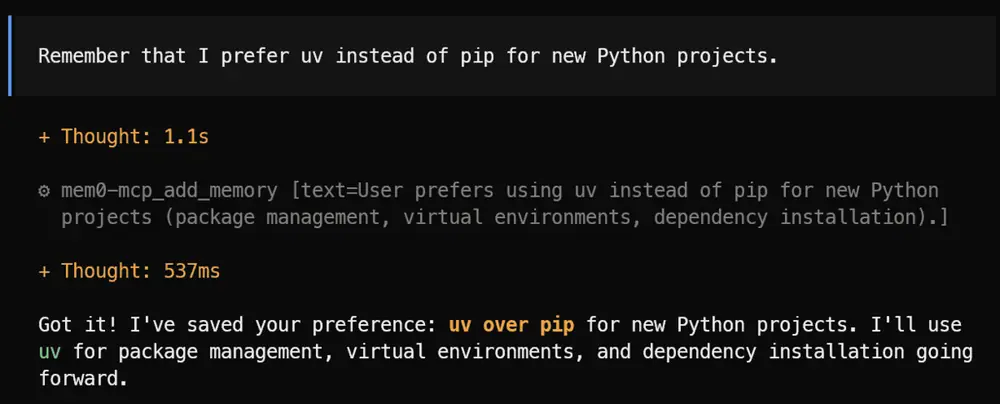
Remember that I prefer uv instead of pip for new Python projects.
Then start a new session and ask:
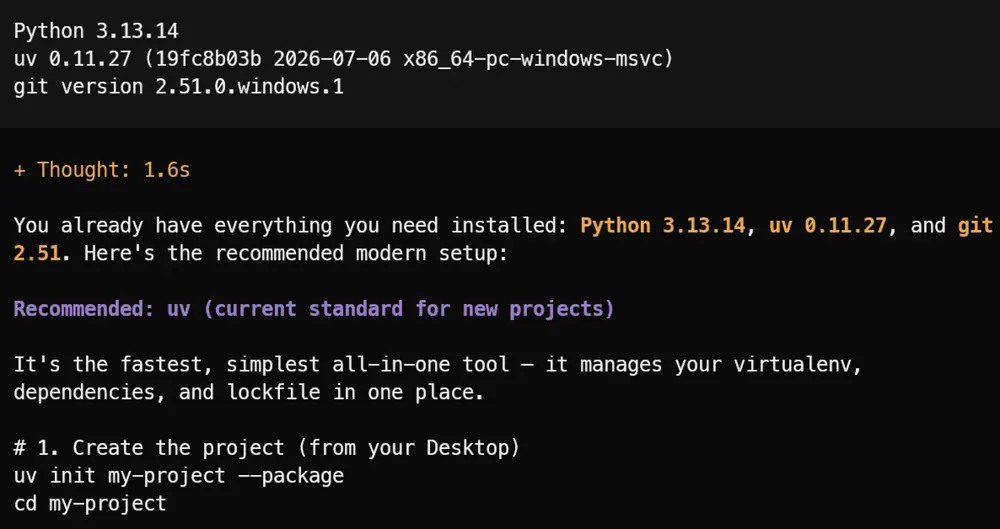
How should I initialize this Python project?
OpenCode can retrieve the stored preference through the Mem0 MCP tools. Mem0 currently exposes operations including add_memory, search_memories, get_memories, update_memory, delete_memory, and more.
You can verify the connection with:
opencode mcp list
Final Thoughts
ChatGPT has a memory feature that can remember useful information from previous conversations and bring it back in later sessions. That is why it can sometimes feel like ChatGPT already understands what you are trying to say without you having to explain everything again.
You can create a similar experience in your own AI applications.
For example, you can build an assistant that remembers customer preferences, an internal tool that keeps track of important decisions, or a coding agent that remembers your preferred frameworks, project rules, and development habits.
The main benefit is that users do not have to start from scratch every time. The agent can retrieve relevant information from earlier sessions and use it to give more personalized and consistent responses.
In this guide, we learned how AI agent memory works, how short-term and long-term memory differ, and how to use Mem0 with the OpenAI Agents SDK to save and retrieve memories. We also connected the same memory system to OpenCode through MCP.
Abid Ali Awan (@1abidaliawan) is a certified data scientist professional who loves building machine learning models. Currently, he is focusing on content creation and writing technical blogs on machine learning and data science technologies. Abid holds a Master's degree in technology management and a bachelor's degree in telecommunication engineering. His vision is to build an AI product using a graph neural network for students struggling with mental illness.