微软推送 Win11 26x00.10075 可选更新:重构搜索体验,内存占用降低 15%~20%

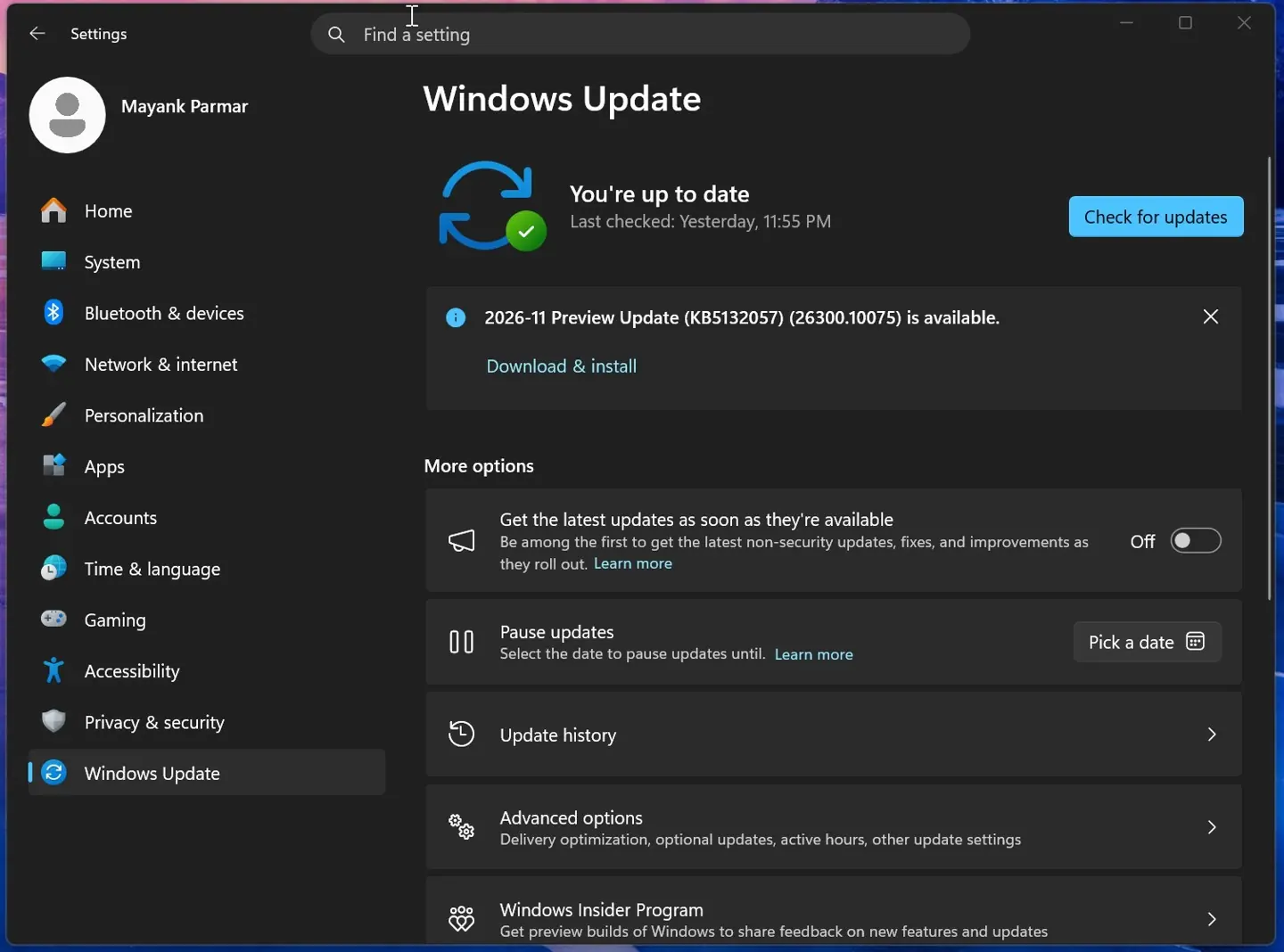
微软昨日(11 月 19 日)面向 Windows 11 系统推送 KB5132057 本月可选预览更新,25H2 版本安装后版本号升至 Build 26200.10075;而 26H2 用户安装后版本号升至 Build 26300.10075。

Written by
故渊
Published by
IT之家
Published
Length
203 words · 1 min
2026-11 Preview Update (KB5132057) (26300.10075)

IT之家 11 月 20 日消息,微软昨日(11 月 19 日)面向 Windows 11 系统推送 KB5132057 本月可选预览更新,25H2 版本安装后版本号升至 Build 26200.10075;而 26H2 用户安装后版本号升至 Build 26300.10075。

功能方面,本次可选更新主要扩大新版 Windows Search 搜索范围,界面由基于 Edge 技术的 WebView2 转向原生 WinUI。报道称,新版搜索的内存占用较此前降低约 15% 至 20%。

搜索面板改用更紧凑的单列表布局,并加入直接操作功能,例如搜索“关闭蓝牙”,即可在结果中操作开关,无需再进入设置页面。更多细节,可以访问IT之家此前报道《微软发布 Win11 26220.9836 等预览版更新:搜索功能可“动手”了,调音量 / 亮度不再进设置》。

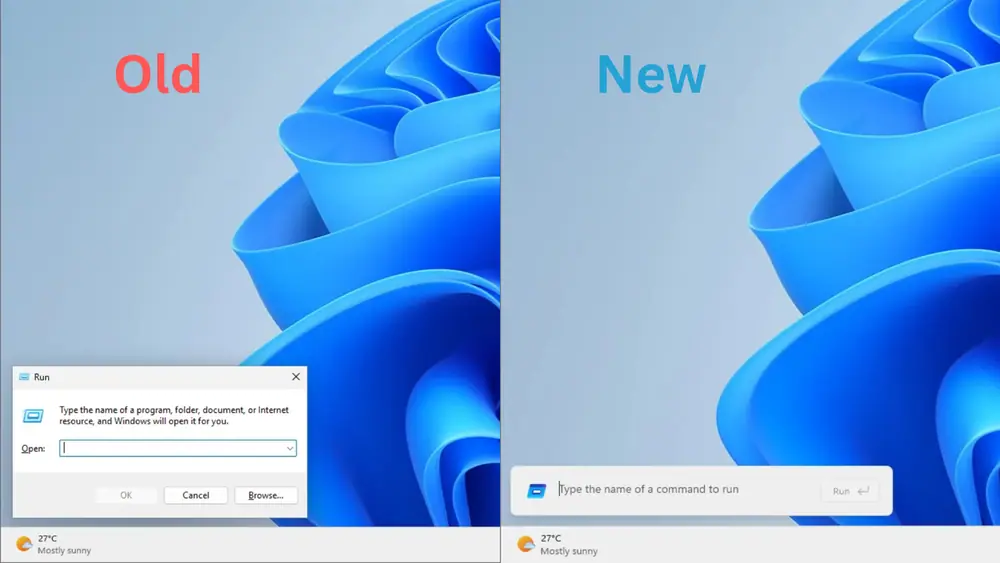
本次可选更新还引入新版“运行”对话框,不过默认情况下不会直接替换旧版,需要用户在“设置 — 系统 — 高级”中手动开启。更多介绍,可以访问此前报道《打开耗时缩短约 8.7%:微软 Win11 下月将迎新“运行”窗口,支持深色模式》。

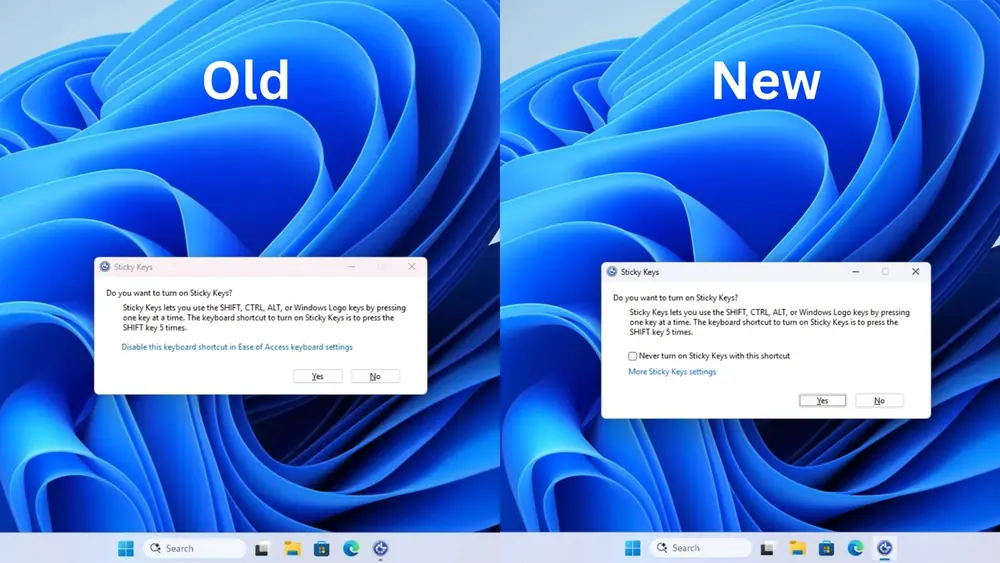
针对连按五次 Shift 触发的粘滞键提示,用户现在可以直接在弹窗中禁用这一快捷键,减少误触带来的打断。

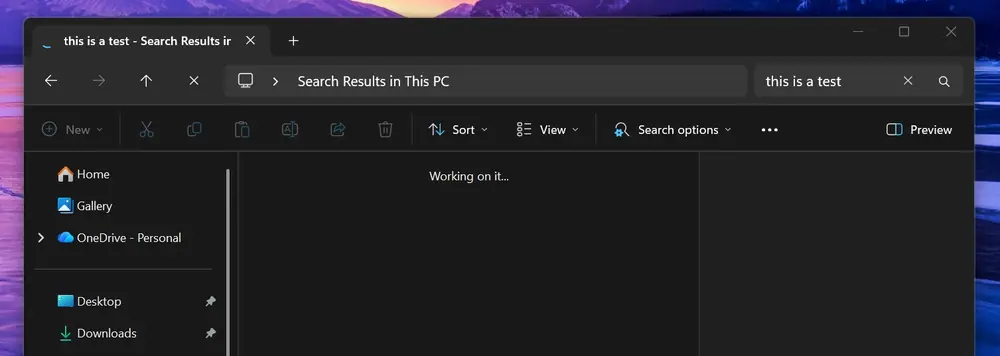
本次更新还优化了文件资源管理器中“此电脑”的搜索。用户可通过 Windows 更新获取补丁,也可使用离线安装包。
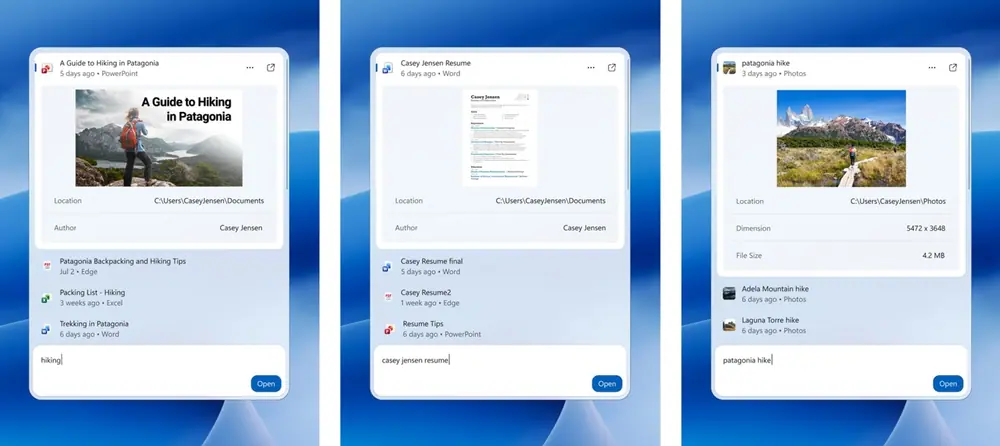
New Search experience on Windows 11
The WinUI Run dialog ditches the Browse button from the legacy Run
Sticky Keys can now be disabled in Windows 11 KB5132057
This PC search in Windows 11

Where this came from

This story was reported by 故渊 and first published by IT之家 on 19 Nov 2026. HUE Legacy Ventures did not write it.

Rights reserved by the publisher. Carried with attribution and a link back, removal on request, on the same footing as the other commercial publishers on the wire.

Read it at ithome.com →